
AWS - Artificial Intelligence
Here is some product ideas related to AI in docs: https://aws.amazon.com/solutions/ai/
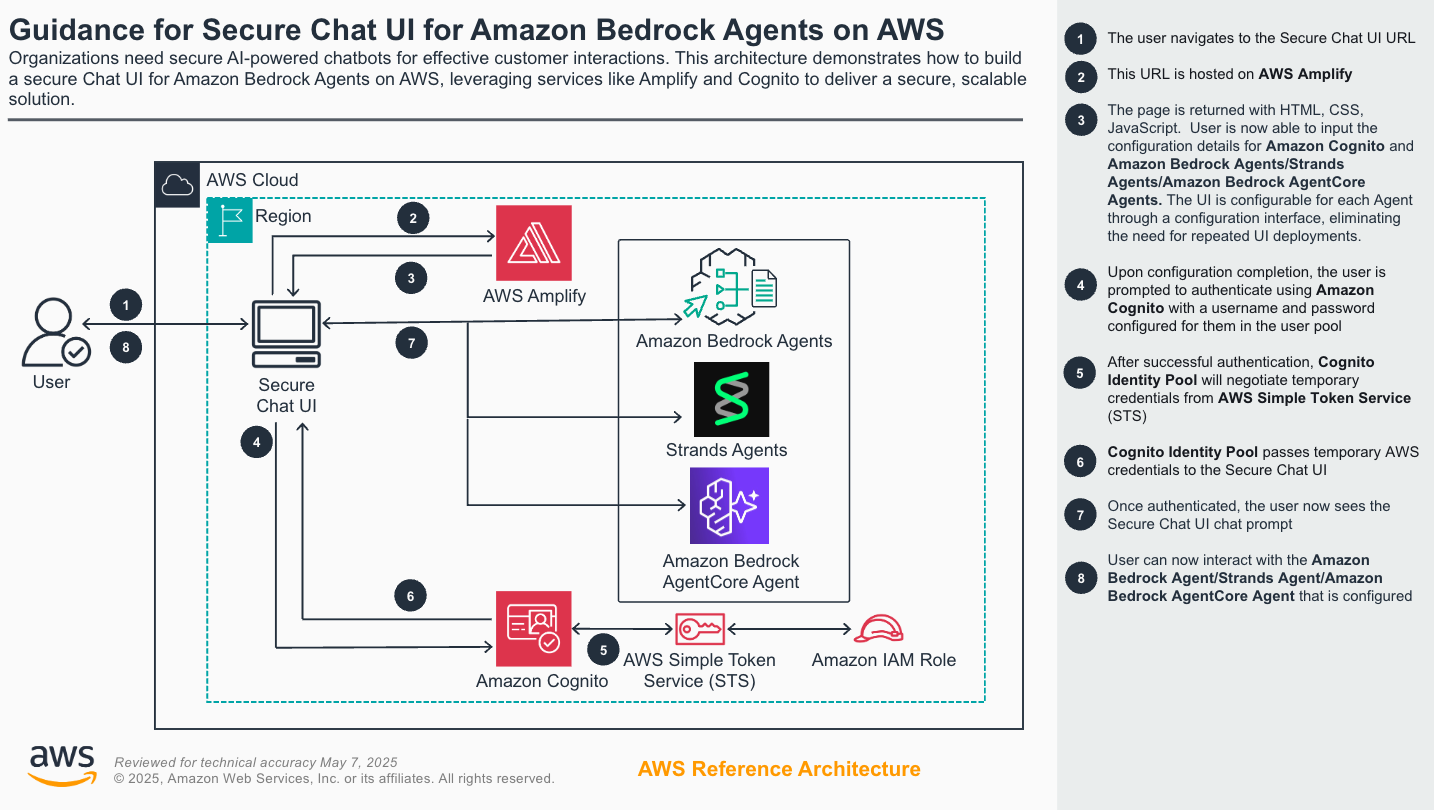
1. Secure Chat User Interface for Amazon Bedrock
-
AWS Bedrock:

-
AWS Agent Core:

-
Build Agents:
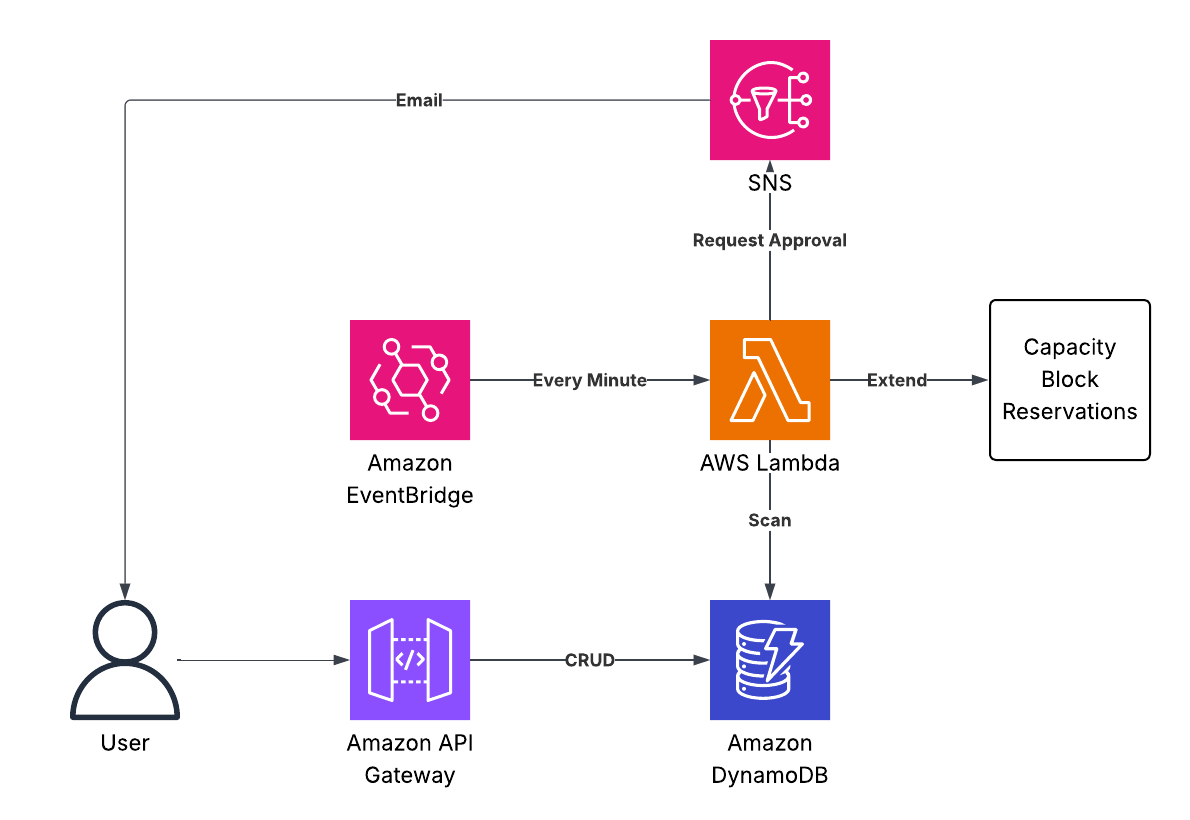
2. Automated Management of AWS Capacity Blocks
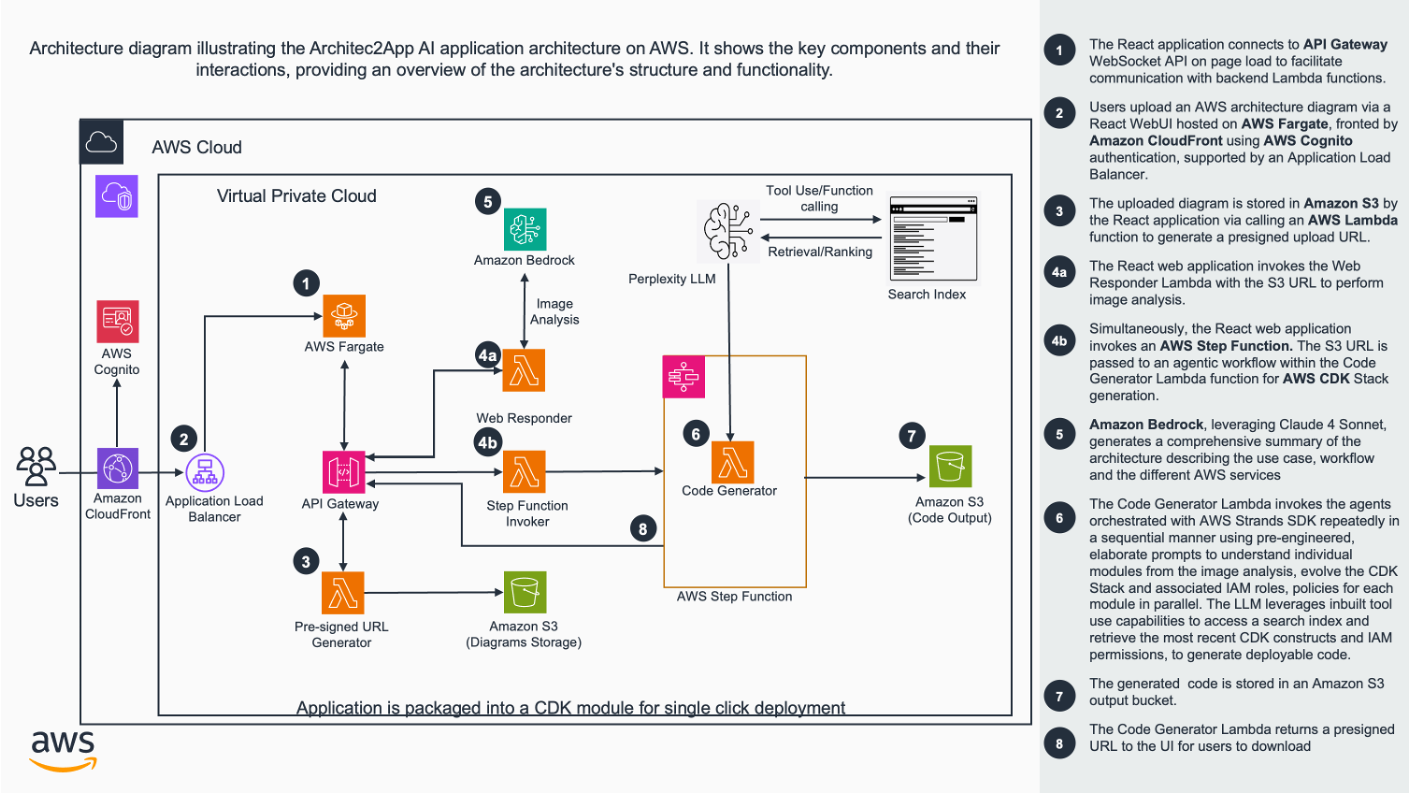
3. Architecture to IaC
4. Sensitive data in knowledge base + RBAC in RAG
4.1. Ensure PII data when response to user
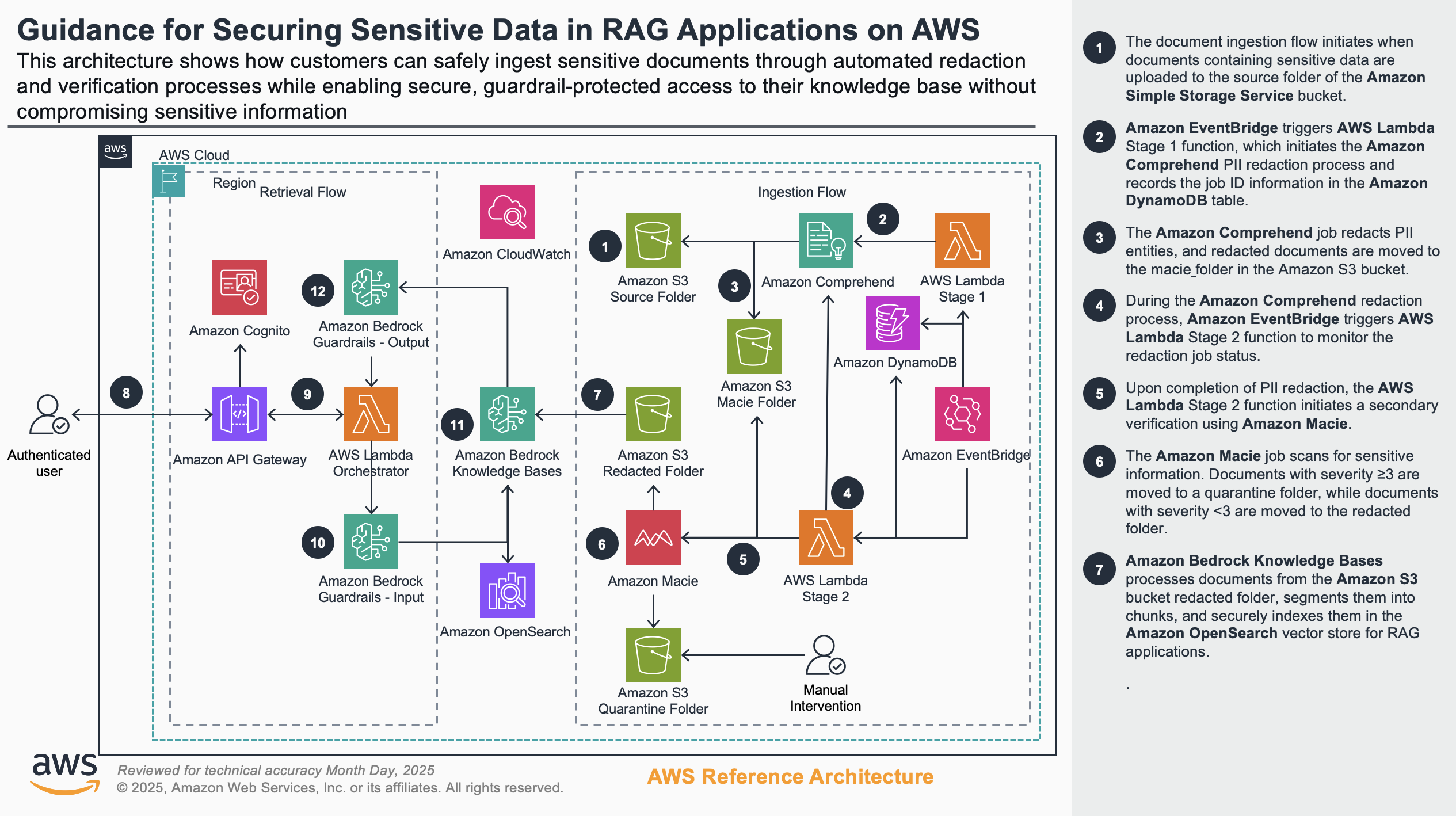
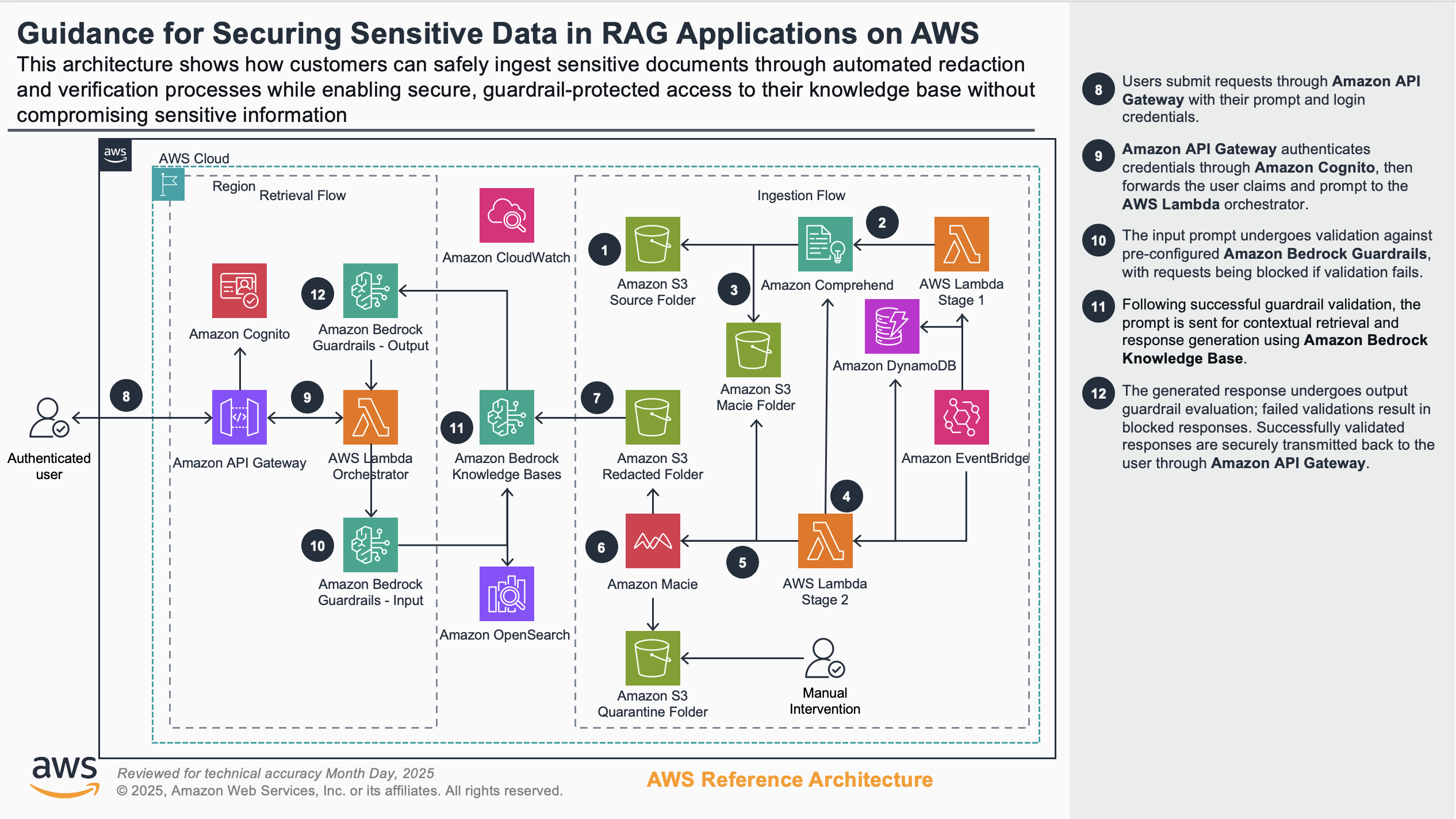
4.2. Role-based access response to user
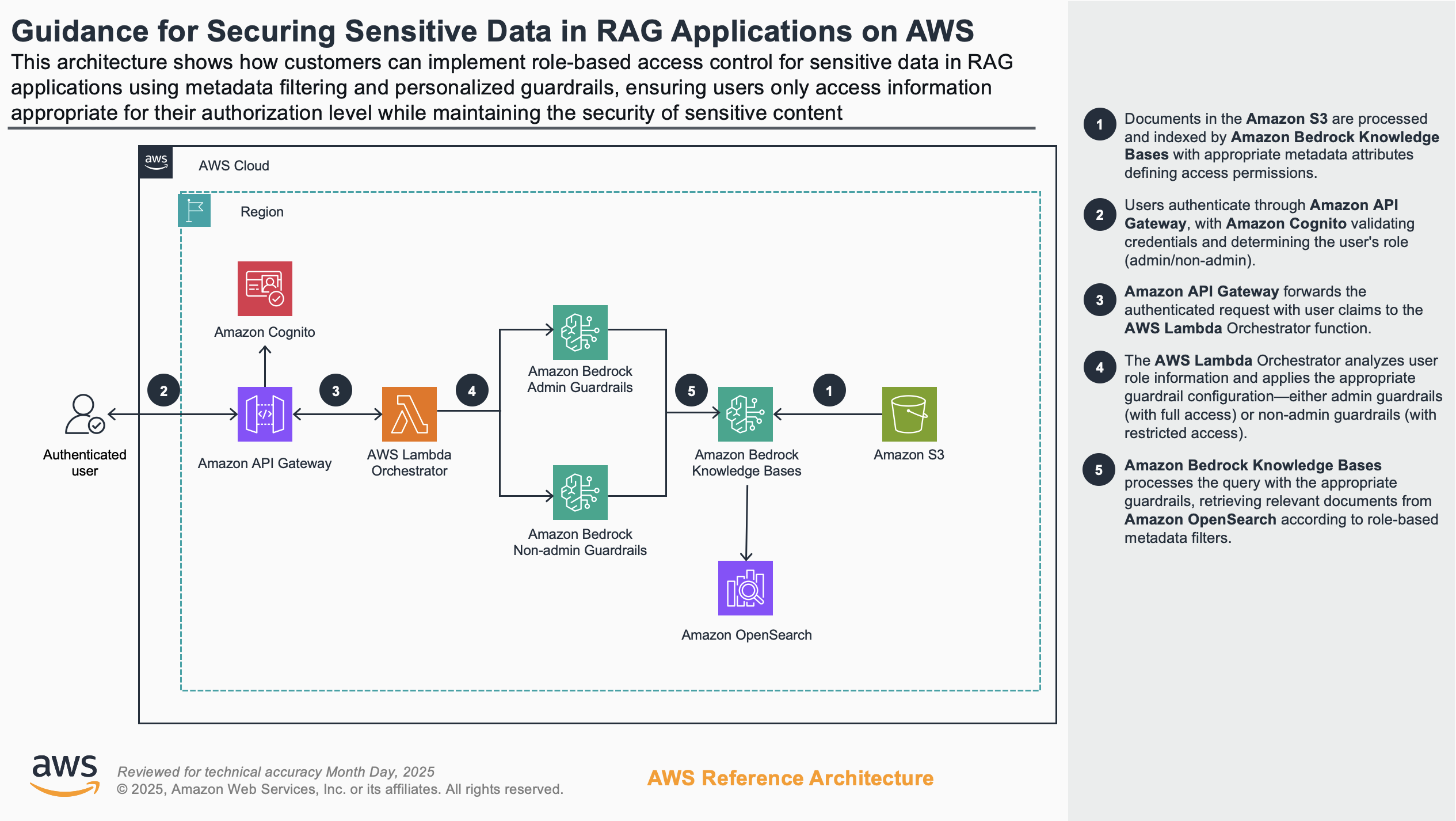
5. LLM Training Operations AWS
- LLM training requires specific hardware capabilities and software configurations - including GPU availability, CUDA drivers, Elastic Fabric Adapter (EFA) for high-performance networking, and NCCL for multi-GPU communication.
How to automates the pre-flight checks that validate:
-
GPU hardware is properly detected and accessible
-
CUDA drivers are correctly installed and functioning
-
EFA networking is configured for distributed training
-
NCCL libraries are available for multi-GPU communication
-
System resources (CPU, memory, disk) meet training requirements
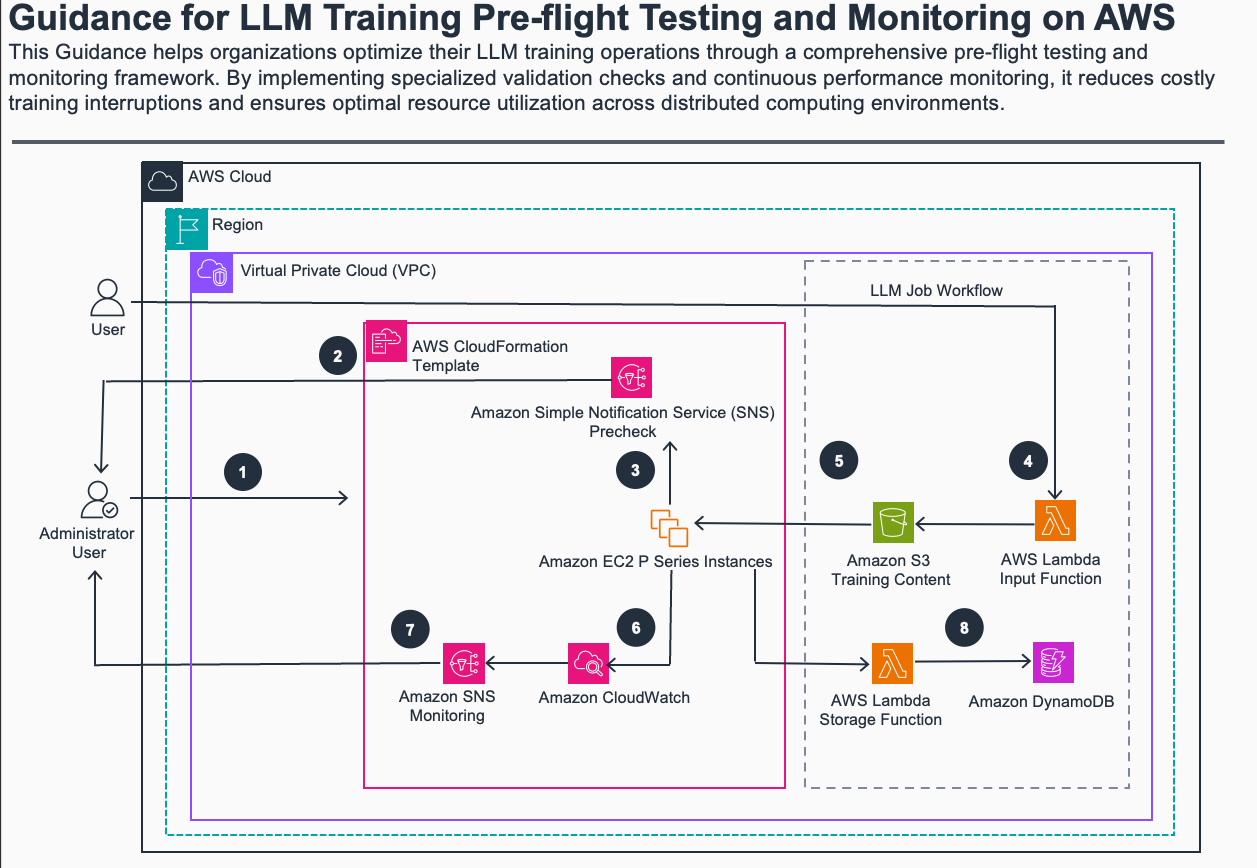
5.1. Steps
-
Administrator deploys AWS CloudFormation template with custom settings for CPU, memory, and disk thresholds, along with email address for Amazon Simple Notification Services (SNS) Topics notifications.
-
AWS CloudFormation template creates Amazon EC2 instances and executes pre-flight checks validating GPU health, CUDA drivers, NCCL testing, EFA connectivity, and CPU/memory/disk performance, while configuring security groups, permissions, CloudWatch agent, and notification channels.
-
Amazon SNS topic sends notifications for any failed pre-flight checks to administrator with specific failure details.
-
User initiates the LLM training job by invoking the Amazon Lambda Input function for fetching the training data stored in Amazon S3.
-
Amazon EC2 instances load data from Amazon S3 bucket and runs the LLM training process.
-
Monitor system health continuously through Amazon CloudWatch by tracking real-time CPU usage against defined thresholds, memory consumption, disk space utilization and I/O performance, network throughput and connectivity status, plus GPU utilization and temperature for ML workloads.
-
Send runtime monitoring alerts through Amazon SNS when operational thresholds are exceeded during training, including specific triggering metrics and current system status in each notification.
-
Amazon Lambda Storage Function stores the queryable training metadata in the Amazon DynamoDB.
5.2. Design
6. Application and Data Connectors for Amazon Q Business
6.1. Product Idea
-
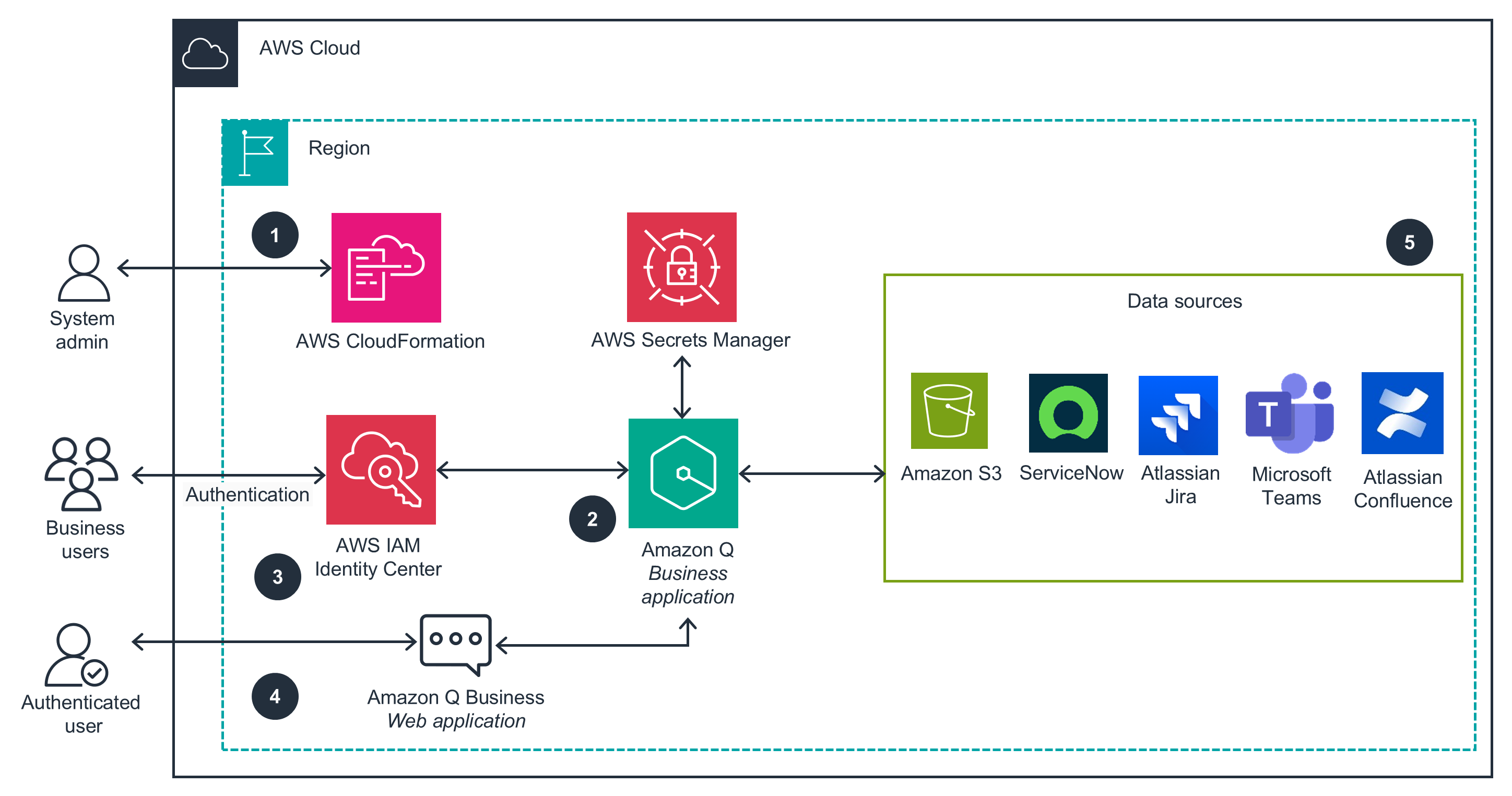
Amazon Q Business Connectors provides a streamlined CloudFormation deployment solution for setting up Amazon Q Business Applications with multiple data source integrations.
-
It automates the configuration of IAM roles, policies, and necessary permissions for web experiences and data source access, enabling seamless integration with popular enterprise tools like Microsoft Teams, S3, Confluence, Jira, and ServiceNow.
=> Chatbot for business data => Can do multiple things.
- Amazon Q:
6.2. Design
6.3. Analyze
6.3.1. For data sources:
-
Monitor the data ingestion status from the “Data Sources” section
-
Initial data synchronization may take some time depending on the volume of data
-
You can check sync status for each configured data source
6.3.2. For application users:
-
Add users through IAM Identity Center
-
Assign appropriate permissions to allow them to access the Q Business application